
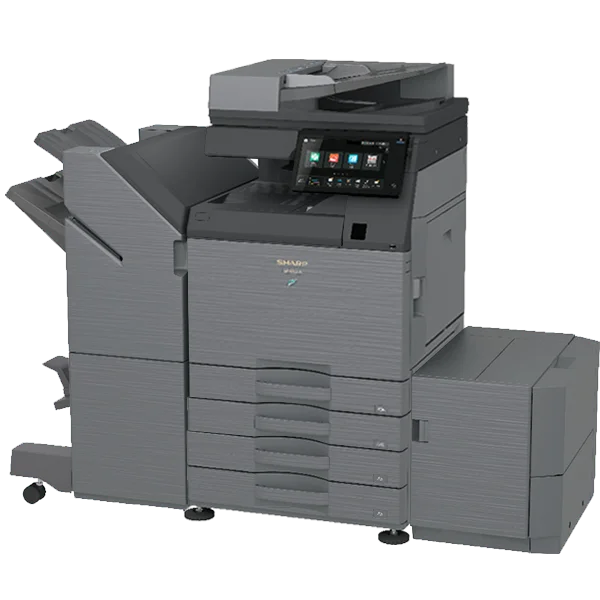
Copier Rental St Louis

Short-term Copier Rentals for

Text Animation

Full-service temporary office setups with round-the-clock support.

Short-Term Copier Rental: A Flexible Solution for Your Temporary Needs

Short-term copier rental might be the perfect solution when your business in Saint Louis requires a copier for a special event, a short-term project, or a temporary office setup. 

Renting a copier for a short period offers flexibility, affordability, and the ability to meet your temporary needs without the long-term commitment of purchasing. 

Clear Choice Technical Services has helped countless businesses in Saint Louis leverage these rentals, and we’re here to show you why it might be the right choice for you.

What is a Short-Term Copier Rental?

It is a setup that allows businesses to access high-quality copying and printing equipment for a limited period, often ranging from a few days to a few months. 

Unlike long-term leasing or purchasing, this rental model provides the flexibility to only pay for the time you need the copier. Whether for an upcoming conference, a temporary office expansion, or a specific project, renting a copier can solve the problem of having the right equipment without the commitment of ownership.

Short-term copier rental is popular among businesses in Saint Louis that need a copier for a one-off task but don’t want to invest in a new machine or deal with the hassle of a long-term lease. 

With Clear Choice Technical Services, you can get the exact copier model that suits your temporary needs—without worrying about hidden fees, upkeep, or maintenance.

Why Short-Term Copier Rental Makes Sense for Saint Louis Businesses

For businesses in Saint Louis, the flexibility of a short-term rental provides several key advantages. If you’ve ever faced the dilemma of needing high-quality copier equipment for a limited time, you know how challenging it can be to find a cost-effective solution. 

Here are a few reasons why this setup could be the right choice for you.

1. Cost-Effective for Short-Term Needs

When you only need a copier for a few days or weeks, renting makes much more financial sense than buying or committing to a long-term lease. 

The costs associated with purchasing and maintaining a copier can quickly add up, especially when you don’t need it for an extended period. Renting a copier allows you to avoid high upfront costs and only pay for the time you use it.

For example, if you’re hosting a corporate event or a temporary promotional campaign, renting a copier ensures you can handle all the printing and copying needs without overpaying for equipment that will sit idle after the event ends.

2. Access to High-Quality, Latest Technology

Technology moves quickly, and renting a copier ensures you have the most up-to-date features available during your rental period. 

Need high-speed printing, color copies, or advanced scanning capabilities? Short-term copier rental can give you access to the best equipment on the market for as long as you need it.

With Clear Choice Technical Services in Saint Louis, we’ll ensure that the copier you rent is equipped with the latest technology and suitable for your needs.

3. No Maintenance or Service Hassles

Maintaining and repairing a copier can be costly and time-consuming. Maintenance and support are typically included with a short-term rental, so you won’t have to worry about dealing with breakdowns or unexpected repairs. 

If something goes wrong, all you need to do is call the rental provider, and they’ll send someone out to fix it—at no extra cost.

At Clear Choice Technical Services, we handle all the maintenance and servicing during your rental period, ensuring your copier stays in top working condition for the duration of your project.

4. Flexibility and Convenience

If your business needs change or your project timeline shifts, you can easily adjust your rental terms to accommodate these changes. 

Unlike purchasing a copier or committing to a long-term lease, short-term rental agreements allow you to adapt as your needs evolve quickly.

Renting a copier allows you to scale your office equipment up or down depending on how your project progresses. This level of flexibility is particularly valuable for businesses in Saint Louis that operate in industries with fluctuating demand or seasonal peaks.

Who Can Benefit from Short-Term Copier Rental?

While any business can benefit from this setup, specific industries, and situations make this service especially advantageous. Here are some common scenarios where a short-term rental can provide a great solution:

1. Events and Conferences

If you’re hosting an event, conference, or trade show, you may need a copier to handle registration, printing schedules, or distributing materials. Short-term copier rental is the perfect way to ensure you have reliable equipment during the event without worrying about logistics or extra costs once the event concludes.

2. Temporary Office Spaces

Companies setting up temporary offices, whether for a seasonal project or a short-term contract, can benefit from short-term rentals. Instead of buying equipment for a space you’ll only use for a few months, renting lets you use the necessary equipment without the commitment.

3. Special Projects and Campaigns

If your business is running a time-sensitive campaign, a new marketing initiative, or a temporary project that requires high-volume printing, renting a copier allows you to focus on the project without worrying about equipment reliability. 

Whether printing promotional materials, client documents, or internal reports, a short-term rental ensures you have everything you need to get the job done.

4. Pop-up Shops and Retail Spaces

Retailers who need temporary equipment for pop-up shops or limited-time sales can use short-term copier rental as an innovative solution. Rent a copier for your event, and when the project concludes, return the equipment. This eliminates the need for long-term commitment and helps manage your costs more effectively.

Is Short-Term Copier Rental Right for Your Saint Louis Business?

Short-term rental offers businesses in Saint Louis the flexibility, cost-effectiveness, and convenience they need for temporary projects, events, or short-term office setups. 

With Clear Choice Technical Services, you can rely on high-quality, well-maintained equipment and customer service every step of the way. 

Call us at (314) 202-5198 to explore your short-term copier rental options. We’ll help you find the right equipment for your temporary needs, ensuring your business runs smoothly without the long-term commitment.


Understanding Response Times: What to Expect from Your Copier Sales Provider in Saint Louis

Picture this: You’re in the middle of an important meeting, and your copier suddenly breaks down while printing crucial documents. You urgently reach out to your Saint Louis copier provider, but minutes turn into hours with no update on when help will arrive. The stress builds, deadlines are missed, and productivity comes to a grinding halt. It’s a situation no business wants to face, and it all comes down to understanding response times. Copier Sales Provider in Saint Louis
At Clear Choice, copier sales provider in Saint Louis, we know how essential quick, reliable service is for your business. Our team is committed to providing prompt support with an average response time designed to minimize downtime and keep your operations running smoothly. We take pride in our transparency and proactive approach, so you never have to worry about waiting too long for assistance.

Now, let’s explore what to expect from a copier sales provider in Saint Louis and why response times are so crucial for your business.

Why Response Times Matter for Your Business

In today’s fast-paced business world, time is money. A copier malfunction or breakdown can significantly impact your operations and bottom line. That’s why it’s crucial to have a reliable copier sales provider in Saint Louis with a quick response time.

Here are some reasons why response times matter for your business:


    • Minimizes Downtime: Every minute your copier is down is productivity lost. The quicker you get help, the more you can keep your workflow going strong!

    • Maintains Business Continuity: In our tech-driven world, staying connected and productive is key. Fast response times help ensure your operations run smoothly without interruptions.

    • Prevents Further Damage: If a copier issue lingers, it can lead to bigger problems. A prompt response can save you from costly repairs or replacements down the line.

What Is the Average Response Time for a Copier Sales Provider in Saint Louis?

At Clear Choice, we know how important quick support is for your business! That’s why we aim to respond to all service requests within four hours or less, regardless of your location or service level agreements (SLAs).

Our dedicated technicians are always ready to help in the Saint Louis area, with fully stocked vehicles for fast, on-site assistance. Plus, if you have minor issues, we offer remote support options for speedy troubleshooting. This means we can solve many problems without the need for an on-site visit, keeping your operations running smoothly. We’re here to ensure you get the service you need, when you need it!

How Can You Ensure Prompt Response Times from Your Copier Sales Provider?

As a business owner or manager, it’s essential to know what you can do to ensure prompt response times from your copier sales provider. Here are some tips:


    • Choose a Reliable Partner: When selecting a copier sales provider in Saint Louis, make sure to research and read reviews to find a reliable partner with quick response times.

    • Negotiate SLAs: Service level agreements (SLAs) outline the timeline for service requests and response times. Make sure to negotiate an SLA that meets your business needs.

    • Regular Maintenance and Servicing: Scheduling regular maintenance and servicing can help prevent unexpected breakdowns, reducing the need for emergency service calls.

Steps to Take if Your Current Provider Has Slow Response Times

If your current copier sales provider in Saint Louis doesn’t meet your needs, here are a few steps to consider for improvement:


    • Check Your SLA: Review your service level agreement to understand the guaranteed response times.

    • Request Faster Service: Ask about upgrade options for quicker support.

    • Consider Clear Choice: With quick, reliable service, we’re dedicated to minimizing downtime.

    • Schedule Regular Maintenance: Preventative maintenance can reduce the chance of emergencies.

    • Explore Remote Support: This can save time on minor fixes.

Why Clear Choice is the Right Partner for Your Copier Needs

For over 20 years, Clear Choice Saint Louis has been a trusted copier sales provider for businesses. We offer a wide selection of reliable brands and quick response times to keep your operations smooth.

For over 20 years, Clear Choice Saint Louis has been a trusted copier sales provider for businesses. We offer a wide selection of reliable brands and quick response times to keep your operations smooth.

Brands We Offer

Copier Sales Provider in Saint Louis

Reasons why business choose us:

  • Years of Experience: Over two decades of trusted service.
  • Flexible Rental & Purchase Options: We adapt to your business needs.
  • Top-Quality Brands: High-performance machines you can trust.
  • Transparent Contracts: No hidden fees, only clear terms.
  • Friendly, Fast Support: Prompt responses keep you running smoothly.

Here’s what our clients say about us:

“They turned our printer issue not folding and stapling into a success story. Their professionalism, knowledge, and friendly approach left me thoroughly impressed. Our printer now printing as it should.”


-Alexis Betts

“I’ve worked with MANY companies in the past that had this type of service and Clear Choice has gone above and beyond for our clients! Ted makes everything super easy and is quick to help on any issues or questions I have! Clear Choice has a great customer service and support team! 10/10 would recommend them to anyone.”


-Selina Arroyo

“Great service, I usually work with Rey Francisco. He always reaches out to me within minutes and solves my issues very promptly. I am very pleased with the company and the staff.”


-Gianni Samaniego

Rent at Clear Choice Saint Louis Today!

Looking for a trusted copier sales provider in Saint Louis? Clear Choice Saint Louis offers reliable machines, flexible rentals, and fast support to keep your business running smoothly. Rent with us today for top-quality service. Get your hassle-free quote now! Call (314) 202-5198.


kyocera_fs_1135_printer

What you need to know about photocopiers and printed graphics

Are you looking for a new photocopier and printer with good graphic designs? With numerous brands, models, and types available, it’s going to be quite daunting to choose one which will meet your business or personal requirements. Below, we’ve highlighted some of the things that you should know when buying both a photocopier and a printer with good graphic designs. 

If you are looking for a copier in St. Louis, you can contact St. Louis (314) 202-5198. You can ask about Copier Lease in St. Louis, copier rental in St. Louis, IT Services in St. Louis, and even Copier Repair in St. Louis.

Things that you should know about photocopiers: 

Copy Speed

A usual photocopier is created to be shared between three to ten persons which will typically have a print or copy speed of 25-45 pages per minute (ppm), putting it in the mid-volume category.

Copy Volume

This number relates to the number of pages the photocopier has been designed to process per month. They’re usually grouped into volume categories instead of handling the particular number. The classification consists of SOHO (small office, home office) for infrequent use, low volume, mid-volume, high volume, and corporate photocopiers. When you want to buy a photocopier, try to measure how much the device will be used, and make sure to choose accordingly.

Network Capability

The ability to collaborate with a customers’ computer network. Once connected to the network, the photocopier becomes robust, feature-rich network printer, scanner, fax server, and far more. When looking at network functionality you ought to consider which operating systems you employ also as how you would like the device to sit within the network. 

Scanning Features

A network-connected photocopier is usually the perfect platform to be used as a feature-rich network scanner. When looking at one, you must consider how you would possibly want to use the scanning features of the machines and what efficiencies may be found within your business or personal experiences. 

Manufacturer

When you come to know about the good features, speed, and benefits of photocopiers, you may want to begin finding a manufacturer and their reputation as an organization. You must purchase equipment from an established manufacturer, with a good market share who will be ready to provide longevity of support to you and your chosen reseller. 

Purchasing Options

At a time where cost is controlled and closely managed, the modern purchaser is searching for more flexible ways to source the funding for these devices. Copier leasing additionally offers a superb upgrade path to make sure the equipment purchased is maintained so far and at the forefront of current technology.

After Sales Support Options

When choosing a supplier, it might be a good tip to know what after-sales support options they have available, at what cost, and whether they service the equipment themselves, or through a third party.

Compatibility

When considering the addition of a network capable photocopier. It’s vital to confirm the hardware will be compatible with your existing systems. 

Price

Always keep in mind that when weighing up the value of a possible solution. It’s not just the worth of the hardware you’ll be paying for but also the advanced features. And workflow capacities essential within the machines in question.

Things that you need to know about printer graphics: 

The difference between RGB and CMYK

The system that your computer software uses for generating color on screen isn’t a similar system that printers use. Computer graphics use the RGB color system, which is formed from red, green, and blue. But printers work with the cyan, magenta, yellow, and black color set – commonly named CMYK.

The importance of resolution

For print output, the most important measurement you would like to worry about is DPI or dots per inch. As the name suggests, it identifies the quantity of dots a printer would make on one square.

Your design scales

To make sure the text on a card is legible, for instance, it’s best to avoid light and thin fonts. Also, don’t set the dimensions so small that people won’t be able to read it when it’s printed.

If you’re checking out the stress-free printer and copier rental services, we can help. A copier leasing services in St. Louis. You’ll find a superb selection of copier leasing services to satisfy your specific needs. If you’re finding out about a copier lease, look no further. Because all you would like for a copier is here in the copier leasing in St. Louis. 


Care and Printer Maintenance

A printer is a peripheral which is sometimes essential, available from a fairly low prices and they really do not need a excessive attentions, but some maintenance. Lets see what this printer maintenance: The materials we need are few, it is not convenient (or in many cases as possible) remove too. ‘re going to need the following materials: – A brush or flat brush about 3cm. – A pair of cotton rags. – A little alcohol (the better the cleaning alcohol or burning.) – A little graphite based grease (can be found in electronics stores.) – We recommend a can of compressed air. Overall, and as anything , we must ensure that it is clean of dust and others. This is easy, since that would only need a brush, a rag and a little time and patience. If too much dirt that has built up we can use some alcohol (always on the cloth, not directly, and always after removing all dust), drying always very good. In cases of extreme dirt and grease (for eg restaurant kitchen printers), we can clean the outside of it with some degreaser (I repeat, ALWAYS apply this on the cloth, NEVER directly on the printer), then passing a damp cloth to finish drying very well.

This can damage some plastic parts (loss of gloss and print logos loss), but trying to remove the grease, it will always be more damaging. We must avoid these extremes, since the accumulation of such debris can cause serious damage. Regarding maintenance a little older Copier Repair, we’ll see what should be this, depending on the printer type: Dot matrix printers: This type of printers because they are not used in the house, as they have many disadvantages in relation to an inkjet printer, but it is still used in offices, as it is the only type of printer that lets you print on copy paper, whether continuous or leaflets. Besides what has been stated, in these printers is very convenient occasionally applying pressurized air through the area of the carriage as the paper web (which is most often used in such printers ) tends to leave a lot of waste, which must be eliminated.

Additionally, these printers are very similar to roller typewriters, which usually accumulates ink with the passage of time, either because this through the paper or by impressions on the car with no paper. Also usually satinar with the friction of the paper, which causes it to lose adhesion. This roller should also be cleaned from time to time. We will use alcohol without additives (not to be used or a glass cleaner or colonies). With this alcohol soaked cloth in an energetic and clean the roller, drying after very well. should also drive the cars clean, either with a brush or using compressed air. If you look around you will see that the print head moves on a metallic guide. We must ensure that this guide does not dry, so we can occasionally apply some graphite based grease (EYE, we should never apply oils or Vaseline, as these tend to dry).

This grease should be applied ONLY if we find that this guide is very dry, to the point of preventing head smooth scrolling. Regarding the printer itself tape, these tapes are usually spend enough, they usually break down and give off a lot of dirt (especially those that are made ??with cotton fabric) and also dry quite with the simple passage of time, we must monitor them and change them often enough. They are pretty cheap, but the number of prints with some very limited quality inkjet printers: These types of printers are by far the most used in domestic use. Except in child care are not usually printers that need special maintenance if used regularly. problems with these printers come when only print from time to time (such printers are spoiled by the lack of use by using them) because the injectors are extremely thin and the ink tends to dry in them (somewhat less original inks, pretty much the generic and the recharge).

To avoid this there is a quite simple method that I usually recommend, and that is to get a template (which can be in any word processor or Paint ) that has the basic colors, namely black, blue, red, green and yellow. If we do not use the printer at least once a week we print this pattern. All printers tend to have maintenance tools among which is a so-called Head Cleaning . This tool is quite effective when printing is not as good as it should, and actually involves applying ink with a pressure higher than normally used. This we can clean injectors somewhat blocked, but the ink costs for doing so is quite high, so we should avoid abusing this system. There are several ways to incorporate the injectors. In some cases these are in the print cartridge itself (often the case of HP, Lexmark and any brand). In other heads are in the same printhead, but is a separate part that can be replaced easily (in the case of many printers Canon) and other heads are in the printer itself, in the head, but these can not be changed (they have to change in the service), such as some models of Epson and HP Photo type and other brands. For cartridges that incorporate the head, but are more expensive , premiered heads every time you change the cartridge, so that the maintenance of these is nonexistent. In the case of replaceable heads, these should be changed from time to time for a good performance.

Respective brands using this system indicate how often you should replace these heads. For printers that the user can not replace the heads we have seen a form of maintenance for these. are on the market like a cartridge the ink, but contain a special product for cleaning the heads. These cartridges are usually not too expensive it is a good remedy for head very dirty or clogged, something we can try before taking it to service. cartridge head cleaning to Epson brand G & G – Approx . Overall I always advise using inks. Actually they are more expensive than generic or recycled, but rather extend the life of your printer and the print quality is superior. If we look, we see that the print head moves on a metal rod. We must prevent debris from collecting in it, and above all, to dry out. Although it takes a while to dry out if you use the printer often, leaving it also can dry and even rust. We can clean this rod with a dry cloth and then apply some graphite based grease (never Vaseline). This grease must be applied only if we see that this rod is very dry to the point of preventing smooth movement of the head. tape must also monitor the displacement of the head (a fine toothed belt). As we see it starts to deteriorate we take to change as breakage can cause more serious problems.

In the picture we see both the head moving tape as the guide rod. Anyway, we monitor and clean any stain Ink you see on the drive mechanism and / or subject of the paper or the head. Whether it is a high-end printer Thus in terms of profitable carry every so often (two or three years) to qualified service to make you a review and internal cleansing. Not usually an expensive operation and we will keep the printer in order for another two or three years. In the paper input tray tends to accumulate enough dirt, so it is advisable to clean this tray with a brush or better, with a little air. Printers Laser Laser printers usually require less maintenance than other types of printers, but this is often more difficult to perform, so it is preferable to carry serious failures for service.

All Printers to be cleaned off, but in the case of the laser must not only ensure that they are off, but disconnected from the mains. Given the wide variety of types of laser printers is in terms of how the toner placement and DUM unit, we will limit ourselves to indicate that we should keep as clean as possible the paper input tray and other surfaces. many toner have a cleaning lever. It’s good to use it occasionally. For the rest of the components in this type of printer I always recommend going to the official service for cleaning (depending on usage, it may be every two or three years).

Summary: The printers do not require special care, but we can leave them thinking that they will always be there, because in that case you will most likely fail us just when we need them. Generally, we avoid going to Copier Repair have to use for cleaning anything other than a soft dry cloth and a brush pressurized air or better as any product we use can damage them (as you have seen, simply stated that we should use any product in cases of dirt and embedded). NEVER should apply any cleaning product or spray oils, as these other which can seriously damage your printer. ONLY based greases must apply graphite rods guide if these are parched, preventing smooth movement of the print head, and always in very small quantities. After applying this, we must remove any grease that accumulates at the ends of the rod. cartridges generic (and especially recharged) are much cheaper, but also retain our printer worst, and rarely offer the same print quality.


General Maintenance of a Printer

All printers need to work under regular maintenance in Copier Repair Atlanta and although over time the component wear is inevitable, you can follow some general tips to get good impressions for longer usage:

Whenever possible, use original cartridges or refills of good quality.

  • Use the appropriate paper for your needs.
  • Avoid placing the paper and the printer in humid, especially if laser.
  • Use the media guides in the printer, to prevent movement and misprints.
  • Properly configure printing, paper type and resolution. You should use the specific driver for each printer so they can maximize their characteristics.

Save ink or toner test prints or minor, setting a lower print resolution in the options.
Do not spend several days in a row without making some impression, make test prints to regularly maintain and printer cartridges “in shape” and avoid eg clogged print nozzles.

If you notice strange behavior before taking the printer to a house-keeping, try downloading and installing an updated driver from the manufacturer’s website. Also read frequently asked questions necessary to determine the cause of the problem.

Ultimately, internet can seek help in specialized forums on the subject, for that always remember to search the forum if your issue was not raised before by someone else and when expose your concern, remember to provide all data as possible in Copier Repair Atlanta and clearly, to obtain better help from the forum members.

Copier Repair Atlanta GA

10 Glenlake Pkwy NE

Atlanta, GA 30328

404-445-0944

Atlanta GA, Marietta GA, Roswell GA, Smyrna GA, Norcross GA, Decatur GA, Alpharetta GA, Tucker GA, Clarkston GA, Scottdale GA, Avondale Estates GA, Mableton GA, Duluth GA, Woodstock GA, Pine Lake GA, Lilburn GA, Stone Mountain GA, North Metro GA, Kennesaw GA, Clarkdale GA, Austell GA, Lawrenceville GA, Holly Springs GA, Acworth GA, Redan GA, Powder Springs GA, Canton GA, Lithia Springs GA, Suwanee GA, Lebanon GA, Conley GA, Lithonia GA, Snellville GA, Ellenwood GA, Forest Park GA, Hiram GA, Douglasville GA, Cumming GA, Grayson GA, Morrow GA, Red Oak GA, Buford GA, Rex GA, Emerson GA, Riverdale GA, Union City GA, Conyers GA, Dallas GA, Jonesboro GA, Stockbridge GA, Fairburn GA, Ball Ground GA, Dacula GA, Loganville GA, White GA, Cartersville GA, Waleska GA, Inman GA, Flowery Branch GA, Winston GA, Palmetto GA, Oakwood GA, Oxford GA, Rydal GA, Chestnut Mountain GA, Cassville GA, Porterdale GA, Covington GA, Gainesville GA, 30002, 30003, 30004, 30005, 30006, 30007, 30008, 30009, 30010, 30012, 30013, 30015, 30016, 30017, 30019, 30021, 30022, 30023, 30024, 30026, 30028, 30029, 30030, 30031, 30032, 30033, 30034, 30035, 30036, 30037, 30038, 30039, 30040, 30041, 30042, 30043, 30044, 30045, 30046, 30047, 30048, 30049, 30052, 30054, 30058, 30060, 30061, 30062, 30063, 30064, 30065, 30066, 30067, 30068, 30069, 30070, 30071, 30072, 30074, 30075, 30076, 30077, 30078, 30079, 30080, 30081, 30082, 30083, 30084, 30085, 30086, 30087, 30088, 30090, 30091, 30092, 30093, 30094, 30095, 30096, 30097, 30098, 30099, 30101, 30102, 30106, 30107, 30111, 30114, 30115, 30120, 30121, 30122, 30123, 30126, 30127, 30132, 30133, 30134, 30135, 30137, 30141, 30142, 30144, 30146, 30152, 30154, 30156, 30157, 30160, 30168, 30169, 30171, 30183, 30184, 30187, 30188, 30189, 30213, 30232, 30236, 30237, 30260, 30268, 30272, 30273, 30274, 30281, 30287, 30288, 30291, 30294, 30296, 30297, 30298, 30301, 30302, 30303, 30304, 30305, 30306, 30307, 30308, 30309, 30310, 30311, 30312, 30313, 30314, 30315, 30316, 30317, 30318, 30319, 30320, 30321, 30322, 30324, 30325, 30326, 30327, 30328, 30329, 30330, 30331, 30332, 30333, 30334, 30336, 30337, 30338, 30339, 30340, 30341, 30342, 30343, 30344, 30345, 30346, 30347, 30348, 30349, 30350, 30353, 30354, 30355, 30356, 30357, 30358, 30359, 30360, 30361, 30362, 30363, 30364, 30366, 30368, 30369, 30370, 30371, 30374, 30375, 30376, 30377, 30378, 30379, 30380, 30384, 30385, 30386, 30387, 30388, 30389, 30390, 30392, 30394, 30396, 30398, 30399, 30502, 30504, 30506, 30515, 30518, 30519, 30542, 30566, 31106, 31107, 31119, 31126, 31131, 31132, 31139, 31141, 31145, 31146, 31150, 31156, 31191, 31192, 31193, 31195, 31196, 31197, 31198, 31199, 39901


Learn How to Keep Your Printer HP Always Ready

Follow these tips to keep your printer or Printer Repairs perfect Hp:

Hp Printer Cleaning: every time you change the toner you should clean the printer toner debris and dirt.

Change Fuser Hp: when it fails the fuser, error code 50, refer to the user manual.    seen as changing Hp Fuser

Change Maintenance Kit Hp: when indicated on the display
of the printer, see the user manual.

Warning: disconnect the printer from the mains and let it cool, especially the fuser, before beginning maintenance hp printer, if you do not in serious danger of getting burned.

We are a specialized technical service and plotter Hp printers Hp Technical Service , we can solve any type of incident or mistake you have your HP printer or plotter. Great deals on fuser, maintenance kit prints and Hp.

Follow these guidelines periodically to maintain your hp laser printer in perfect working condition.

1. HP PRINTER CLEANING

Before putting a new toner, fuser or maintenance kit is highly recommended hp clean the entire set of the printer, thus the new supplies will not be affected by dirt and running on optimal conditions.

Hp Printer Repair – Dirty
Clean the printer with a damp cloth, do not use ammonia cleaners can damage the printer. The cloth used should not loose threads.

Do not use a vacuum cleaner to remove dirt or toner, you can damage the printer, it is best to use only a dry or moistened with water.

Hp Printer Repair – Cleaning and Maintenance Kit Exchange
Try not to touch the transfer roller is the black roller located under the toner, can cause a loss in print quality of the printer.

Remove the toner for the printer to clean better, do not give the light to the toner, cover and prevents it from direct light.

Hp Printer Repair – Clean and Repaired
Leave perfectly clean all the way to the blade still in the printer, will avoid further jams, introduces a transparency or cardboard for each slot to release the dirt.

Clean all rollers that make moving the paper through the printer to get the dirt you can use a cloth dampened with isopropyl alcohol, care, is flammable.

2. CHANGE FUSER HP

The laser printer fuser has a limited useful life, when it starts to make noises, are remains of the sheet and the print quality of the printer loses its replacement will be necessary with a new or remanufactured.

Generally the printer warns of the need for change fuser error generating code 50: 50 hp fuser error.

In the following video we show you how to change a fuser and maintenance kit full Hp laser printer.

3. HP MAINTENANCE KIT CHANGE

Check the user manual every few prints is necessary to change the maintenance kit for your printer, if the printer keeps jamming and lost quality printing will be necessary to put a new kit in the printer.

The maintenance kit consists of a fuser and a series of rollers that guide the paper through the printer, its composition varies and is specified for each hp laser printer models that needs Printer Repairs.

Copier Repair Atlanta GA

10 Glenlake Pkwy NE

Atlanta, GA 30328

404-445-0944

Atlanta GA, Marietta GA, Roswell GA, Smyrna GA, Norcross GA, Decatur GA, Alpharetta GA, Tucker GA, Clarkston GA, Scottdale GA, Avondale Estates GA, Mableton GA, Duluth GA, Woodstock GA, Pine Lake GA, Lilburn GA, Stone Mountain GA, North Metro GA, Kennesaw GA, Clarkdale GA, Austell GA, Lawrenceville GA, Holly Springs GA, Acworth GA, Redan GA, Powder Springs GA, Canton GA, Lithia Springs GA, Suwanee GA, Lebanon GA, Conley GA, Lithonia GA, Snellville GA, Ellenwood GA, Forest Park GA, Hiram GA, Douglasville GA, Cumming GA, Grayson GA, Morrow GA, Red Oak GA, Buford GA, Rex GA, Emerson GA, Riverdale GA, Union City GA, Conyers GA, Dallas GA, Jonesboro GA, Stockbridge GA, Fairburn GA, Ball Ground GA, Dacula GA, Loganville GA, White GA, Cartersville GA, Waleska GA, Inman GA, Flowery Branch GA, Winston GA, Palmetto GA, Oakwood GA, Oxford GA, Rydal GA, Chestnut Mountain GA, Cassville GA, Porterdale GA, Covington GA, Gainesville GA, 30002, 30003, 30004, 30005, 30006, 30007, 30008, 30009, 30010, 30012, 30013, 30015, 30016, 30017, 30019, 30021, 30022, 30023, 30024, 30026, 30028, 30029, 30030, 30031, 30032, 30033, 30034, 30035, 30036, 30037, 30038, 30039, 30040, 30041, 30042, 30043, 30044, 30045, 30046, 30047, 30048, 30049, 30052, 30054, 30058, 30060, 30061, 30062, 30063, 30064, 30065, 30066, 30067, 30068, 30069, 30070, 30071, 30072, 30074, 30075, 30076, 30077, 30078, 30079, 30080, 30081, 30082, 30083, 30084, 30085, 30086, 30087, 30088, 30090, 30091, 30092, 30093, 30094, 30095, 30096, 30097, 30098, 30099, 30101, 30102, 30106, 30107, 30111, 30114, 30115, 30120, 30121, 30122, 30123, 30126, 30127, 30132, 30133, 30134, 30135, 30137, 30141, 30142, 30144, 30146, 30152, 30154, 30156, 30157, 30160, 30168, 30169, 30171, 30183, 30184, 30187, 30188, 30189, 30213, 30232, 30236, 30237, 30260, 30268, 30272, 30273, 30274, 30281, 30287, 30288, 30291, 30294, 30296, 30297, 30298, 30301, 30302, 30303, 30304, 30305, 30306, 30307, 30308, 30309, 30310, 30311, 30312, 30313, 30314, 30315, 30316, 30317, 30318, 30319, 30320, 30321, 30322, 30324, 30325, 30326, 30327, 30328, 30329, 30330, 30331, 30332, 30333, 30334, 30336, 30337, 30338, 30339, 30340, 30341, 30342, 30343, 30344, 30345, 30346, 30347, 30348, 30349, 30350, 30353, 30354, 30355, 30356, 30357, 30358, 30359, 30360, 30361, 30362, 30363, 30364, 30366, 30368, 30369, 30370, 30371, 30374, 30375, 30376, 30377, 30378, 30379, 30380, 30384, 30385, 30386, 30387, 30388, 30389, 30390, 30392, 30394, 30396, 30398, 30399, 30502, 30504, 30506, 30515, 30518, 30519, 30542, 30566, 31106, 31107, 31119, 31126, 31131, 31132, 31139, 31141, 31145, 31146, 31150, 31156, 31191, 31192, 31193, 31195, 31196, 31197, 31198, 31199, 39901


Tips for Proper Maintenance of Company Printers

The printers service are classified into two main and most used categories, based toner (laser printer) and liquid inkjet (inkjet printers). Sometimes you have to change the settings and apply some tricks in order to thus obtain optimal performance. Today we look at a few tips for proper maintenance of company printers .

The printers are devices which we know is used to make copies of your business documents including text, graphics, images etc. on paper. The printer is connected to the computer via cable or via WiFi and can be shared with other users on the network of your company.

The printers usually come equipped with memory card readers, digital cameras, fax, scanner and copier. The duration of the printers is linked to its maintenance and daily use, although you have to clarify that it will not need the same time keeping a printer in a small office with two employees, with 100.

Inkjet printers

Ink: you should try to use the printer regularly to prevent the ink from drying. Making regular use printer ink was found in better condition. You should consider using color and black and white prints at least a few times a week so that the dye does not end up drying.

Heads: heads must be kept clean as printers and ink you prevent clogging in the nozzles, and reduces the amount of ink stains on prints. Clean the print heads is easy, remove the cartridges and clean the heads gently with a cotton cloth soaked in water. Do not use alcohol to clean the heads and you can cause serious damage. Before replacing the cartridge you have to make sure the print heads let completely dry.

The role: if a paper jam have to take precautions. Do not force the paper or could cause damage to the printer. What you must do is to look at the user manual or the manufacturer’s website to see which is the correct way to remove the paper jam . Generally printers are equipped with a “box” in the back that can be removed easily. When you remove the wheels easily see paper and so you can remove the paper jammed in the printer.

Off right: if you’re not going to use the printer should turn off. This prevents ink from drying and helps in the maintenance and operation of the printer. should use the power button to turn off the printer and if you want, you can unplug it from the mains. Never turn off the printer while in the middle of a job as you can damage it.

Laser Printers

In this case, I leave you an overview of how to clean a laser printer , but for best results, you should consult the documentation for your printer for detailed instructions available on the printer maintenance.

  • Unplug the printer for about an hour so that is cool before starting the cleaning procedure.
  • Remove the paper trays.
  • Open the printer and remove the toner cartridge.
  • Place the cartridge on a piece of disposable paper or newspaper.
  • Be careful not to tilt or shake the toner cartridge as it may cause leakage of toner.
  • Clean the inside of the printer service with a lint-free cloth. You can use a clean, dry brush to gently remove hard to reach areas.
  • Clean the rollers with a damp cloth to remove dirt buildup.

Conclusion
The ink dries if not used for a long period of time and this makes your print jobs are therefore deficient in addition to wasting ink and paper. ‘s extremely important to clean the printer head when these are blocked by dried ink.

Copier Repair Atlanta GA

10 Glenlake Pkwy NE

Atlanta, GA 30328

404-445-0944

Atlanta GA, Marietta GA, Roswell GA, Smyrna GA, Norcross GA, Decatur GA, Alpharetta GA, Tucker GA, Clarkston GA, Scottdale GA, Avondale Estates GA, Mableton GA, Duluth GA, Woodstock GA, Pine Lake GA, Lilburn GA, Stone Mountain GA, North Metro GA, Kennesaw GA, Clarkdale GA, Austell GA, Lawrenceville GA, Holly Springs GA, Acworth GA, Redan GA, Powder Springs GA, Canton GA, Lithia Springs GA, Suwanee GA, Lebanon GA, Conley GA, Lithonia GA, Snellville GA, Ellenwood GA, Forest Park GA, Hiram GA, Douglasville GA, Cumming GA, Grayson GA, Morrow GA, Red Oak GA, Buford GA, Rex GA, Emerson GA, Riverdale GA, Union City GA, Conyers GA, Dallas GA, Jonesboro GA, Stockbridge GA, Fairburn GA, Ball Ground GA, Dacula GA, Loganville GA, White GA, Cartersville GA, Waleska GA, Inman GA, Flowery Branch GA, Winston GA, Palmetto GA, Oakwood GA, Oxford GA, Rydal GA, Chestnut Mountain GA, Cassville GA, Porterdale GA, Covington GA, Gainesville GA, 30002, 30003, 30004, 30005, 30006, 30007, 30008, 30009, 30010, 30012, 30013, 30015, 30016, 30017, 30019, 30021, 30022, 30023, 30024, 30026, 30028, 30029, 30030, 30031, 30032, 30033, 30034, 30035, 30036, 30037, 30038, 30039, 30040, 30041, 30042, 30043, 30044, 30045, 30046, 30047, 30048, 30049, 30052, 30054, 30058, 30060, 30061, 30062, 30063, 30064, 30065, 30066, 30067, 30068, 30069, 30070, 30071, 30072, 30074, 30075, 30076, 30077, 30078, 30079, 30080, 30081, 30082, 30083, 30084, 30085, 30086, 30087, 30088, 30090, 30091, 30092, 30093, 30094, 30095, 30096, 30097, 30098, 30099, 30101, 30102, 30106, 30107, 30111, 30114, 30115, 30120, 30121, 30122, 30123, 30126, 30127, 30132, 30133, 30134, 30135, 30137, 30141, 30142, 30144, 30146, 30152, 30154, 30156, 30157, 30160, 30168, 30169, 30171, 30183, 30184, 30187, 30188, 30189, 30213, 30232, 30236, 30237, 30260, 30268, 30272, 30273, 30274, 30281, 30287, 30288, 30291, 30294, 30296, 30297, 30298, 30301, 30302, 30303, 30304, 30305, 30306, 30307, 30308, 30309, 30310, 30311, 30312, 30313, 30314, 30315, 30316, 30317, 30318, 30319, 30320, 30321, 30322, 30324, 30325, 30326, 30327, 30328, 30329, 30330, 30331, 30332, 30333, 30334, 30336, 30337, 30338, 30339, 30340, 30341, 30342, 30343, 30344, 30345, 30346, 30347, 30348, 30349, 30350, 30353, 30354, 30355, 30356, 30357, 30358, 30359, 30360, 30361, 30362, 30363, 30364, 30366, 30368, 30369, 30370, 30371, 30374, 30375, 30376, 30377, 30378, 30379, 30380, 30384, 30385, 30386, 30387, 30388, 30389, 30390, 30392, 30394, 30396, 30398, 30399, 30502, 30504, 30506, 30515, 30518, 30519, 30542, 30566, 31106, 31107, 31119, 31126, 31131, 31132, 31139, 31141, 31145, 31146, 31150, 31156, 31191, 31192, 31193, 31195, 31196, 31197, 31198, 31199, 39901


Small Investment: Copy Center

The dream of every entrepreneur is starting a business with little capital, that will produce good profits and the faster the better. And although there is no business model so perfect that fully complies with all these features at the same time, there are some of them why we find the right conditions, we can provide very nice satisfaction when starting our business .

In this case, we will talk about what you need to assemble a photostat reproductions Centre or so-called Centers of Copying . This is an attractive business for several reasons: The first is that you do not need a very large investment to start. If you manage to get a strategic location as a place with many office buildings or schools, that would be ideal as you had a good market around you. Another good place for a copy center managements are public institutions such as municipalities where often ask those who do their paperwork copies of documents. Done this, the basic inputs will be one or two copy machines there is the advantage of a wide variety of models and prices . Variants on copiers reside in the playback speed and depending on the technology used and the economy will offer you. A copier repair pros medium should be around about $1000 dollars on average.

The second important consideration is the supply of daily use such as toner, paper and electricity and the rent of the premises, they must be carefully monitored to prevent your costs discontentment skyrocket. ‘s also important to consider the human element, i.e. people or people who operate your business. If you are starting, it is more advisable as all business will be you who is the principal labor at the beginning and as it begins to take stability can search some other staffing alternatives. must be clear that this kind of company gets its utilities in the copy volume. This means you earn a few cents on each copy but your profits are you achieve copy large amounts at a time and you can save up to acquire your supplies. Find providers offer you the best prices on wholesale purchase of paper, toner and also to avoid at all costs to waste using your machine. Another important aspect is the cost management because although your business may generate attractive profits is essential that you book always maintenance fund which is a high cost and frequent in this type of operation. If managing your spending is in order, you’ll see how everything goes very well.

Summary Investment: Moderate Yield: Medium or Hazard: Minimum services: copying, graphic design, digitization, library. A copier repair pros is the most important investment if you want to start a copy center.

Copier Repair Atlanta GA

10 Glenlake Pkwy NE

Atlanta, GA 30328

404-445-0944

Atlanta GA, Marietta GA, Roswell GA, Smyrna GA, Norcross GA, Decatur GA, Alpharetta GA, Tucker GA, Clarkston GA, Scottdale GA, Avondale Estates GA, Mableton GA, Duluth GA, Woodstock GA, Pine Lake GA, Lilburn GA, Stone Mountain GA, North Metro GA, Kennesaw GA, Clarkdale GA, Austell GA, Lawrenceville GA, Holly Springs GA, Acworth GA, Redan GA, Powder Springs GA, Canton GA, Lithia Springs GA, Suwanee GA, Lebanon GA, Conley GA, Lithonia GA, Snellville GA, Ellenwood GA, Forest Park GA, Hiram GA, Douglasville GA, Cumming GA, Grayson GA, Morrow GA, Red Oak GA, Buford GA, Rex GA, Emerson GA, Riverdale GA, Union City GA, Conyers GA, Dallas GA, Jonesboro GA, Stockbridge GA, Fairburn GA, Ball Ground GA, Dacula GA, Loganville GA, White GA, Cartersville GA, Waleska GA, Inman GA, Flowery Branch GA, Winston GA, Palmetto GA, Oakwood GA, Oxford GA, Rydal GA, Chestnut Mountain GA, Cassville GA, Porterdale GA, Covington GA, Gainesville GA, 30002, 30003, 30004, 30005, 30006, 30007, 30008, 30009, 30010, 30012, 30013, 30015, 30016, 30017, 30019, 30021, 30022, 30023, 30024, 30026, 30028, 30029, 30030, 30031, 30032, 30033, 30034, 30035, 30036, 30037, 30038, 30039, 30040, 30041, 30042, 30043, 30044, 30045, 30046, 30047, 30048, 30049, 30052, 30054, 30058, 30060, 30061, 30062, 30063, 30064, 30065, 30066, 30067, 30068, 30069, 30070, 30071, 30072, 30074, 30075, 30076, 30077, 30078, 30079, 30080, 30081, 30082, 30083, 30084, 30085, 30086, 30087, 30088, 30090, 30091, 30092, 30093, 30094, 30095, 30096, 30097, 30098, 30099, 30101, 30102, 30106, 30107, 30111, 30114, 30115, 30120, 30121, 30122, 30123, 30126, 30127, 30132, 30133, 30134, 30135, 30137, 30141, 30142, 30144, 30146, 30152, 30154, 30156, 30157, 30160, 30168, 30169, 30171, 30183, 30184, 30187, 30188, 30189, 30213, 30232, 30236, 30237, 30260, 30268, 30272, 30273, 30274, 30281, 30287, 30288, 30291, 30294, 30296, 30297, 30298, 30301, 30302, 30303, 30304, 30305, 30306, 30307, 30308, 30309, 30310, 30311, 30312, 30313, 30314, 30315, 30316, 30317, 30318, 30319, 30320, 30321, 30322, 30324, 30325, 30326, 30327, 30328, 30329, 30330, 30331, 30332, 30333, 30334, 30336, 30337, 30338, 30339, 30340, 30341, 30342, 30343, 30344, 30345, 30346, 30347, 30348, 30349, 30350, 30353, 30354, 30355, 30356, 30357, 30358, 30359, 30360, 30361, 30362, 30363, 30364, 30366, 30368, 30369, 30370, 30371, 30374, 30375, 30376, 30377, 30378, 30379, 30380, 30384, 30385, 30386, 30387, 30388, 30389, 30390, 30392, 30394, 30396, 30398, 30399, 30502, 30504, 30506, 30515, 30518, 30519, 30542, 30566, 31106, 31107, 31119, 31126, 31131, 31132, 31139, 31141, 31145, 31146, 31150, 31156, 31191, 31192, 31193, 31195, 31196, 31197, 31198, 31199, 39901


Is It Dangerous to the Toner in the Photocopier?

Photocopiers in modern, toner cartridges and delivery systems thereof, are designed and planned so that there is no human contact with the toner. However, the reality is that operators photocopiers contact him. Malfunctioning of the cartridges, breaking machine components that expose the toner to the temperature and the possibility of the unfused toner paper ejected by the machine when a paper jam clearance. These are common ways in which an operator may be exposed to photocopier toner.

Click Here To Know More!

What is a toner?
Toner is a fine powder made ??of polymers and pigments. In very simple terms, is a plastic powder. How thin the particles depends on their use. A toner for high quality printer will be very fine, and one for low-end copier will be quite thick in comparison.

Contact with the toner
The toner is not considered carcinogenic, but can be irritating. Are imposed normal safety precautions. If toner gets in your eyes, wash with water to remove particles as they, even benign substances are irritants. The toner on the skin should be removed with soap and water as soon as practicable. Do not eat or smoke until you have removed from the place and toner. Get it out of your clothes with a dry cloth or a lint brush, then wash the clothes in cold water to remove the toner that has not been brushed. Do not use warm or hot water as the toner is fixed to the heat and will leave a permanent stain on clothing. Wash with cold water to completely remove the cloth, before drying the garment.

Cleaning spills
Use a mask to avoid inhaling the toner. As with the eyes, even benign particles irritate the respiratory system. Barre spilled toner gently, as if Barrieras flour. It is a fine powder in the air will gradually be deposited on horizontal surfaces if you do it vigorously. Barre very slowly to keep dust from becoming airborne. You can use a vacuum with a micro particles capable of drawing fine . If in doubt, use a broom or brush to clean the spilled powder.

Discard
Discard the toner into a plastic garbage bag and then close it slowly. Be careful not to remove the air from the bag vigorously, toner powder or fly through the air. Place the bag inside another and close it well. This double bagging prevents dust from flying or spill if you pull something on him. The toner is a hazardous waste, so you can normally thrown away with regular trash. It is ok to reuse spilled toner, as the dispenser of the photocopier would be contaminated with foreign particles were collected along with the toner.

Security
All toner manufacturers printed one safety data sheet (MSDS) for each type of toner manufactured, and should be available when they are needed. These MSDS can be obtained directly from the manufacturer or supplier who sells you the toner. To request an MSDS for each type of toner that is used in office equipment, contact or go to the manufacturer’s website and download the documents. These data sheets provide useful information to consumers regarding product composition, hazard identification, first aid, information combustibility, handling, storage and cleaning.

Click Here To Know More!

Copier Repair Atlanta GA

10 Glenlake Pkwy NE

Atlanta, GA 30328

404-445-0944

Atlanta GA, Marietta GA, Roswell GA, Smyrna GA, Norcross GA, Decatur GA, Alpharetta GA, Tucker GA, Clarkston GA, Scottdale GA, Avondale Estates GA, Mableton GA, Duluth GA, Woodstock GA, Pine Lake GA, Lilburn GA, Stone Mountain GA, North Metro GA, Kennesaw GA, Clarkdale GA, Austell GA, Lawrenceville GA, Holly Springs GA, Acworth GA, Redan GA, Powder Springs GA, Canton GA, Lithia Springs GA, Suwanee GA, Lebanon GA, Conley GA, Lithonia GA, Snellville GA, Ellenwood GA, Forest Park GA, Hiram GA, Douglasville GA, Cumming GA, Grayson GA, Morrow GA, Red Oak GA, Buford GA, Rex GA, Emerson GA, Riverdale GA, Union City GA, Conyers GA, Dallas GA, Jonesboro GA, Stockbridge GA, Fairburn GA, Ball Ground GA, Dacula GA, Loganville GA, White GA, Cartersville GA, Waleska GA, Inman GA, Flowery Branch GA, Winston GA, Palmetto GA, Oakwood GA, Oxford GA, Rydal GA, Chestnut Mountain GA, Cassville GA, Porterdale GA, Covington GA, Gainesville GA, 30002, 30003, 30004, 30005, 30006, 30007, 30008, 30009, 30010, 30012, 30013, 30015, 30016, 30017, 30019, 30021, 30022, 30023, 30024, 30026, 30028, 30029, 30030, 30031, 30032, 30033, 30034, 30035, 30036, 30037, 30038, 30039, 30040, 30041, 30042, 30043, 30044, 30045, 30046, 30047, 30048, 30049, 30052, 30054, 30058, 30060, 30061, 30062, 30063, 30064, 30065, 30066, 30067, 30068, 30069, 30070, 30071, 30072, 30074, 30075, 30076, 30077, 30078, 30079, 30080, 30081, 30082, 30083, 30084, 30085, 30086, 30087, 30088, 30090, 30091, 30092, 30093, 30094, 30095, 30096, 30097, 30098, 30099, 30101, 30102, 30106, 30107, 30111, 30114, 30115, 30120, 30121, 30122, 30123, 30126, 30127, 30132, 30133, 30134, 30135, 30137, 30141, 30142, 30144, 30146, 30152, 30154, 30156, 30157, 30160, 30168, 30169, 30171, 30183, 30184, 30187, 30188, 30189, 30213, 30232, 30236, 30237, 30260, 30268, 30272, 30273, 30274, 30281, 30287, 30288, 30291, 30294, 30296, 30297, 30298, 30301, 30302, 30303, 30304, 30305, 30306, 30307, 30308, 30309, 30310, 30311, 30312, 30313, 30314, 30315, 30316, 30317, 30318, 30319, 30320, 30321, 30322, 30324, 30325, 30326, 30327, 30328, 30329, 30330, 30331, 30332, 30333, 30334, 30336, 30337, 30338, 30339, 30340, 30341, 30342, 30343, 30344, 30345, 30346, 30347, 30348, 30349, 30350, 30353, 30354, 30355, 30356, 30357, 30358, 30359, 30360, 30361, 30362, 30363, 30364, 30366, 30368, 30369, 30370, 30371, 30374, 30375, 30376, 30377, 30378, 30379, 30380, 30384, 30385, 30386, 30387, 30388, 30389, 30390, 30392, 30394, 30396, 30398, 30399, 30502, 30504, 30506, 30515, 30518, 30519, 30542, 30566, 31106, 31107, 31119, 31126, 31131, 31132, 31139, 31141, 31145, 31146, 31150, 31156, 31191, 31192, 31193, 31195, 31196, 31197, 31198, 31199, 39901


Advantages of Photocopiers

www.copierrepairatlanta.net

Photocopiers are machines used in businesses and homes to make copies of documents. Businesses use large scale copiers copying their documents while the machines used in a home are designed for small-scale needs. If you have something you want to make a copy, it is fast and comfortable to use a photocopier.

Fast and convenient

Xerox offers a quick and easy way to make copies of various types of documents. Not much to do for the machine operator except enter the document to be copied, start the machine and push a button. The machine quickly produce any number of copies. For convenience, the user can specify the size of the copies, making them larger or smaller than the original.

A clean process

The copiers provide clean copies of the material you want to copy. The copier ink stain to the person using the copier. Other breeding methods that were used before the popularity won photocopiers could be a little uncomfortable. For example, the use of carbon paper could transfer the ink from the paper to the person using the paper.

Printing on both sides

A copier can copy both sides of a document if configured to do so. If you have a document that has input from both sides, you can choose the option of the photocopier to print a two-sided copy. This feature speeds up the printing process and is an economical choice because it reduces the amount of paper needed per copy.

Digital Copiers

Photocopiers more recent use digital technology while older photocopiers operate on analog technology. Digital copiers that combine a scanner and a laser printer. This makes for a better quality of photocopied image. In addition, the copier can scan documents and save them in queue while printing other pages. Some copiers are available with capacities of high-speed scanning can integrate with e- mail. This type of scanners can also put documents in a local area network.

www.copierrepairatlanta.net

Copier Repair Atlanta GA

10 Glenlake Pkwy NE

Atlanta, GA 30328

404-445-0944

Atlanta GA, Marietta GA, Roswell GA, Smyrna GA, Norcross GA, Decatur GA, Alpharetta GA, Tucker GA, Clarkston GA, Scottdale GA, Avondale Estates GA, Mableton GA, Duluth GA, Woodstock GA, Pine Lake GA, Lilburn GA, Stone Mountain GA, North Metro GA, Kennesaw GA, Clarkdale GA, Austell GA, Lawrenceville GA, Holly Springs GA, Acworth GA, Redan GA, Powder Springs GA, Canton GA, Lithia Springs GA, Suwanee GA, Lebanon GA, Conley GA, Lithonia GA, Snellville GA, Ellenwood GA, Forest Park GA, Hiram GA, Douglasville GA, Cumming GA, Grayson GA, Morrow GA, Red Oak GA, Buford GA, Rex GA, Emerson GA, Riverdale GA, Union City GA, Conyers GA, Dallas GA, Jonesboro GA, Stockbridge GA, Fairburn GA, Ball Ground GA, Dacula GA, Loganville GA, White GA, Cartersville GA, Waleska GA, Inman GA, Flowery Branch GA, Winston GA, Palmetto GA, Oakwood GA, Oxford GA, Rydal GA, Chestnut Mountain GA, Cassville GA, Porterdale GA, Covington GA, Gainesville GA, 30002, 30003, 30004, 30005, 30006, 30007, 30008, 30009, 30010, 30012, 30013, 30015, 30016, 30017, 30019, 30021, 30022, 30023, 30024, 30026, 30028, 30029, 30030, 30031, 30032, 30033, 30034, 30035, 30036, 30037, 30038, 30039, 30040, 30041, 30042, 30043, 30044, 30045, 30046, 30047, 30048, 30049, 30052, 30054, 30058, 30060, 30061, 30062, 30063, 30064, 30065, 30066, 30067, 30068, 30069, 30070, 30071, 30072, 30074, 30075, 30076, 30077, 30078, 30079, 30080, 30081, 30082, 30083, 30084, 30085, 30086, 30087, 30088, 30090, 30091, 30092, 30093, 30094, 30095, 30096, 30097, 30098, 30099, 30101, 30102, 30106, 30107, 30111, 30114, 30115, 30120, 30121, 30122, 30123, 30126, 30127, 30132, 30133, 30134, 30135, 30137, 30141, 30142, 30144, 30146, 30152, 30154, 30156, 30157, 30160, 30168, 30169, 30171, 30183, 30184, 30187, 30188, 30189, 30213, 30232, 30236, 30237, 30260, 30268, 30272, 30273, 30274, 30281, 30287, 30288, 30291, 30294, 30296, 30297, 30298, 30301, 30302, 30303, 30304, 30305, 30306, 30307, 30308, 30309, 30310, 30311, 30312, 30313, 30314, 30315, 30316, 30317, 30318, 30319, 30320, 30321, 30322, 30324, 30325, 30326, 30327, 30328, 30329, 30330, 30331, 30332, 30333, 30334, 30336, 30337, 30338, 30339, 30340, 30341, 30342, 30343, 30344, 30345, 30346, 30347, 30348, 30349, 30350, 30353, 30354, 30355, 30356, 30357, 30358, 30359, 30360, 30361, 30362, 30363, 30364, 30366, 30368, 30369, 30370, 30371, 30374, 30375, 30376, 30377, 30378, 30379, 30380, 30384, 30385, 30386, 30387, 30388, 30389, 30390, 30392, 30394, 30396, 30398, 30399, 30502, 30504, 30506, 30515, 30518, 30519, 30542, 30566, 31106, 31107, 31119, 31126, 31131, 31132, 31139, 31141, 31145, 31146, 31150, 31156, 31191, 31192, 31193, 31195, 31196, 31197, 31198, 31199, 39901